Installation
To start using Moveo One, install the SDK for your platform or connect directly to the API.
Setup takes only a few minutes — all you need is your organization token.
OverviewDirect link to Overview
Moveo One SDKs are available for:
- Web / JavaScript
- iOS (Swift)
- Android (Kotlin | Java)
- Flutter (cross-platform)
- React Native (cross-platform)
All SDKs communicate securely with the Moveo One backend to send analytics events, session data, and real time predictive model results.
SDK InstallationDirect link to SDK Installation
- Web
- iOS
- Android
- Flutter
- React Native
- JS
Web SDKDirect link to Web SDK
Add the Moveo One script to the end of your HTML document, just before the closing </body> tag:
<script src="https://moveoonestorage.blob.core.windows.net/000-scripts/moveo-one-script.min.js"></script>
<script>
  const moveo = MoveoOne.init('YOUR_TOKEN_HERE');
</script>
✅ Tip: You can wrap the initialization in a function that runs after your app loads to avoid blocking rendering.
NPM Install (Optional)Direct link to NPM Install (Optional)
If you’re using a modern build system:
npm install moveo-one-sdk
iOS (Swift)Direct link to iOS (Swift)
Add Moveo One via Swift Package Manager:
- In Xcode → File → Add Packages…
- Enter repository URL:
https://github.com/divstechnologydev/moveo-analytics-swift.git - Select your target and click Add Package
Then import and initialize:
import MoveoOne

MoveoOne.initialize(token: "YOUR_TOKEN_HERE")
Android (Kotlin)Direct link to Android (Kotlin)
Add the dependency in your build.gradle:
dependencies {
    implementation "com.moveoone:analytics-sdk:1.0.0"
}
Initialize in your Application class or main activity:
import com.moveoone.sdk.MoveoOne

class MyApp : Application() {
    override fun onCreate() {
        super.onCreate()
        MoveoOne.initialize(this, "YOUR_TOKEN_HERE")
    }
}
FlutterDirect link to Flutter
Add the dependency to your pubspec.yaml:
dependencies:
  moveo_one: ^1.0.0
Then import and initialize:
import 'package:moveo_one/moveo_one.dart';

void main() async {
  await MoveoOne.initialize("YOUR_TOKEN_HERE");
  runApp(MyApp());
}
React NativeDirect link to React Native
Install the Moveo One package:
npm install moveo-one-react-native
Then link and initialize it in your app:
import MoveoOne from 'moveo-one-react-native';

MoveoOne.initialize('YOUR_TOKEN_HERE');
JavaScript (Node or Web Apps)Direct link to JavaScript (Node or Web Apps)
Install the SDK via npm:
npm install moveo-one-sdk
Initialize it in your code:
import MoveoOne from 'moveo-one-sdk';

MoveoOne.init('YOUR_TOKEN_HERE');
API-Only (Backend Integration)Direct link to API-Only (Backend Integration)
If you don’t need SDKs, you can send data directly to Moveo One’s REST API.
Example: PythonDirect link to Example: Python
import requests

headers = {
  "Authorization": "Bearer YOUR_TOKEN_HERE",
  "Content-Type": "application/json"
}

payload = {
  "event": "user_login",
  "timestamp": "2025-10-09T12:00:00Z"
}

requests.post("https://api.moveo.one/v1/events", json=payload, headers=headers)
ValidationDirect link to Validation
Once Moveo One is initialized, verify that data is being collected correctly:
-
Open your Moveo One dashboard.
-
Wait about 30–60 minutes — the initial data sync may take a short while.
-
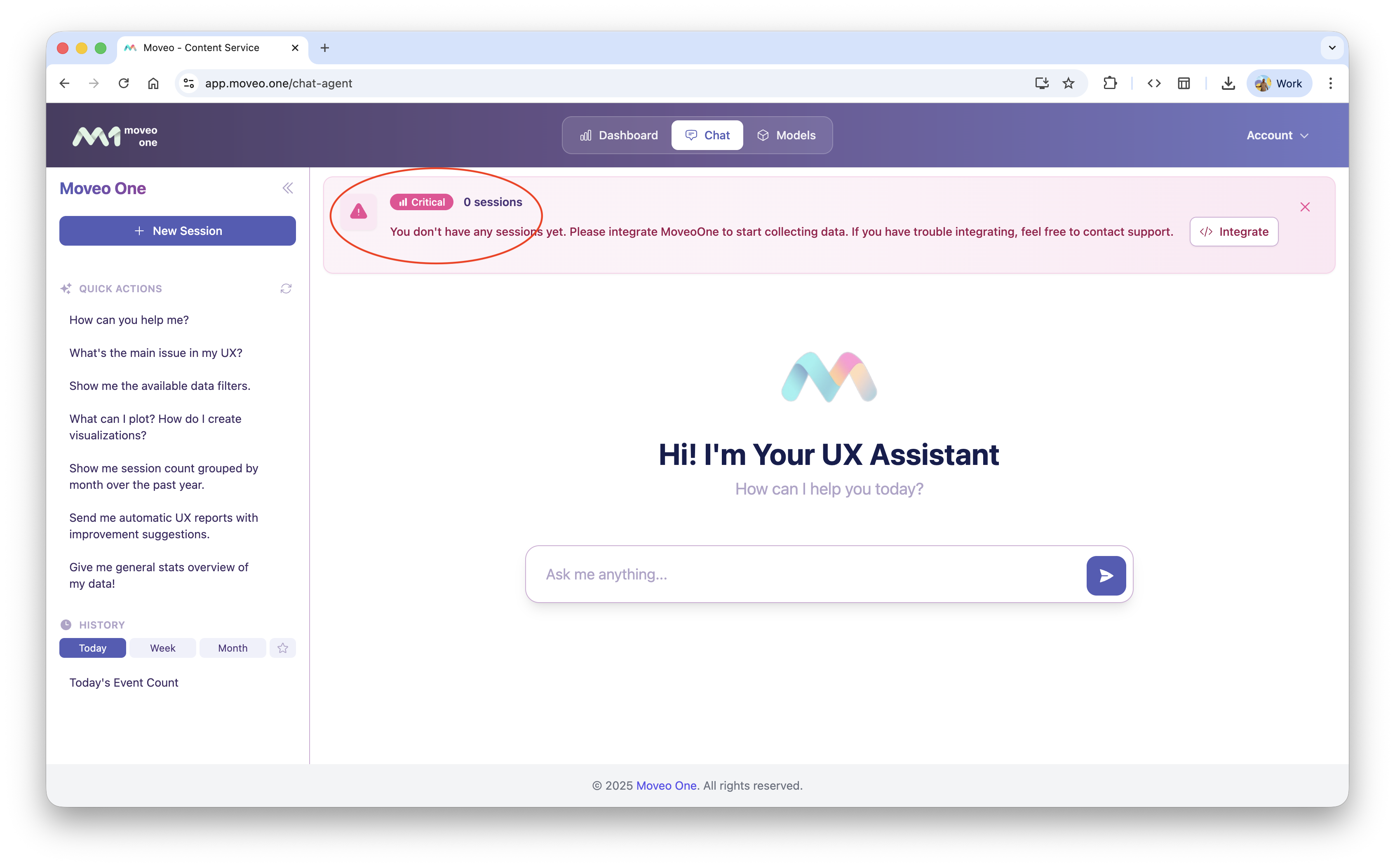
The warning message about “0 sessions” should disappear once the first events are received.
-
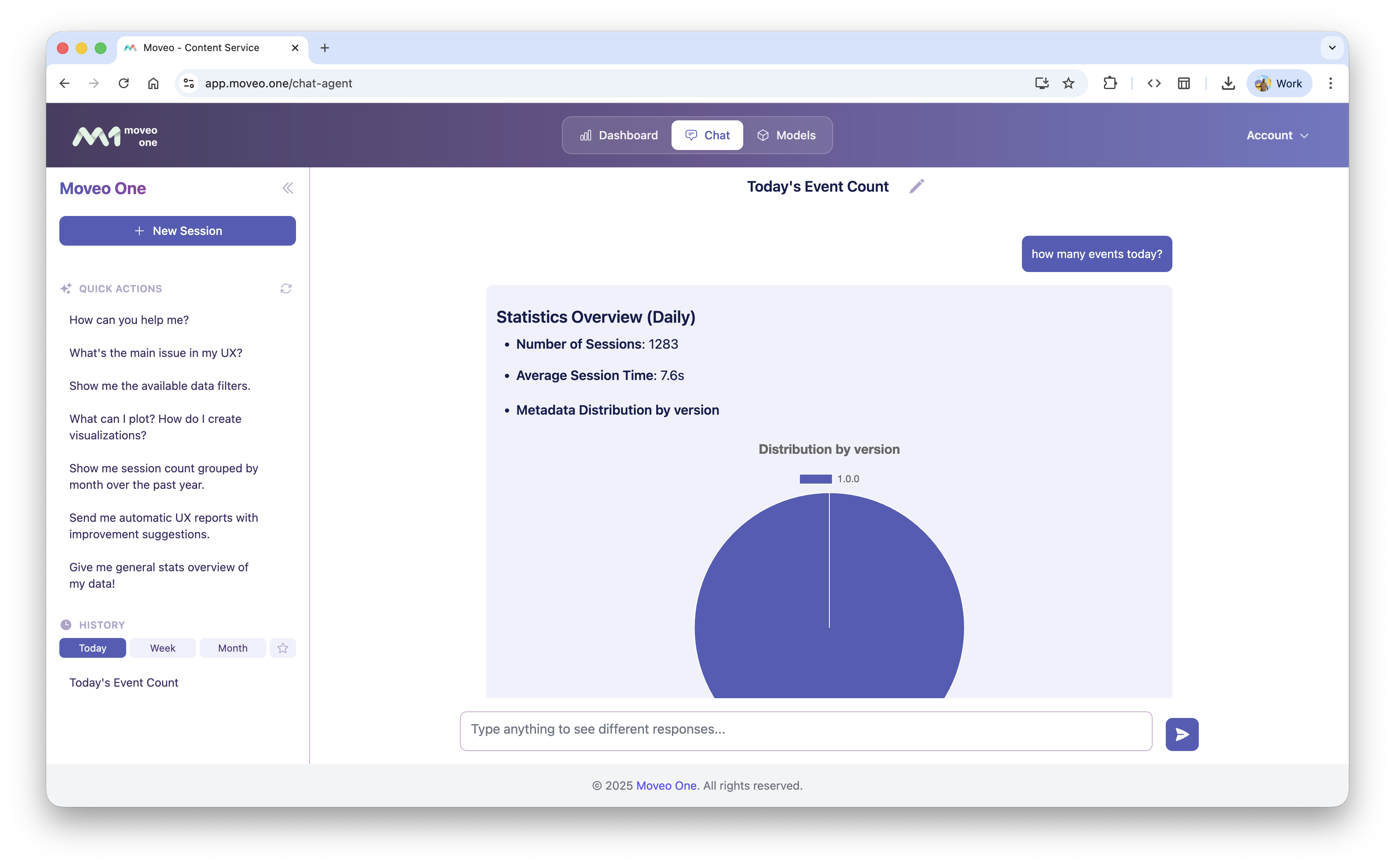
You can also confirm via chat by typing:
“How many events today?”