Segment Integration
If you already track events with Segment, you can forward that same stream to Moveo One without changing any of your existing track, page, screen, identify, or group calls.
Moveo One ships an open-source device-mode Segment destination for each major platform. You add it as a plugin to your Segment SDK; from then on every Segment event is mirrored to Moveo One in parallel with your existing destinations. Your current Segment setup keeps working exactly as before.
| Platform | Package | Source |
|---|---|---|
| Web (Analytics.js) | moveo-one-segment-destination-web | GitHub |
| iOS (Analytics-Swift) | SegmentMoveoOne (Swift Package) | GitHub |
| Android (Analytics-Kotlin) | MoveoOneDestination.kt (drop-in file) | GitHub |
How it worksDirect link to How it works
The destination runs device-mode (in your app, alongside your other Segment plugins). When Segment dispatches an event, the plugin:
-
Builds a payload from the Segment event (
track/page/screen/identify/group/alias). -
Writes it to a durable on-device queue (browser
localStorage, iOS Application Support, Android private files) — so events survive page reloads, app kills, and crashes. -
Batches events and POSTs them to the Moveo One ingestion endpoint:
https://api.moveo.one/api/analytic/external/segment-destinationwith your Moveo One API key in the
Authorizationheader.
Delivery is at-least-once; Moveo One de-duplicates on Segment's messageId, so retries never create duplicates.
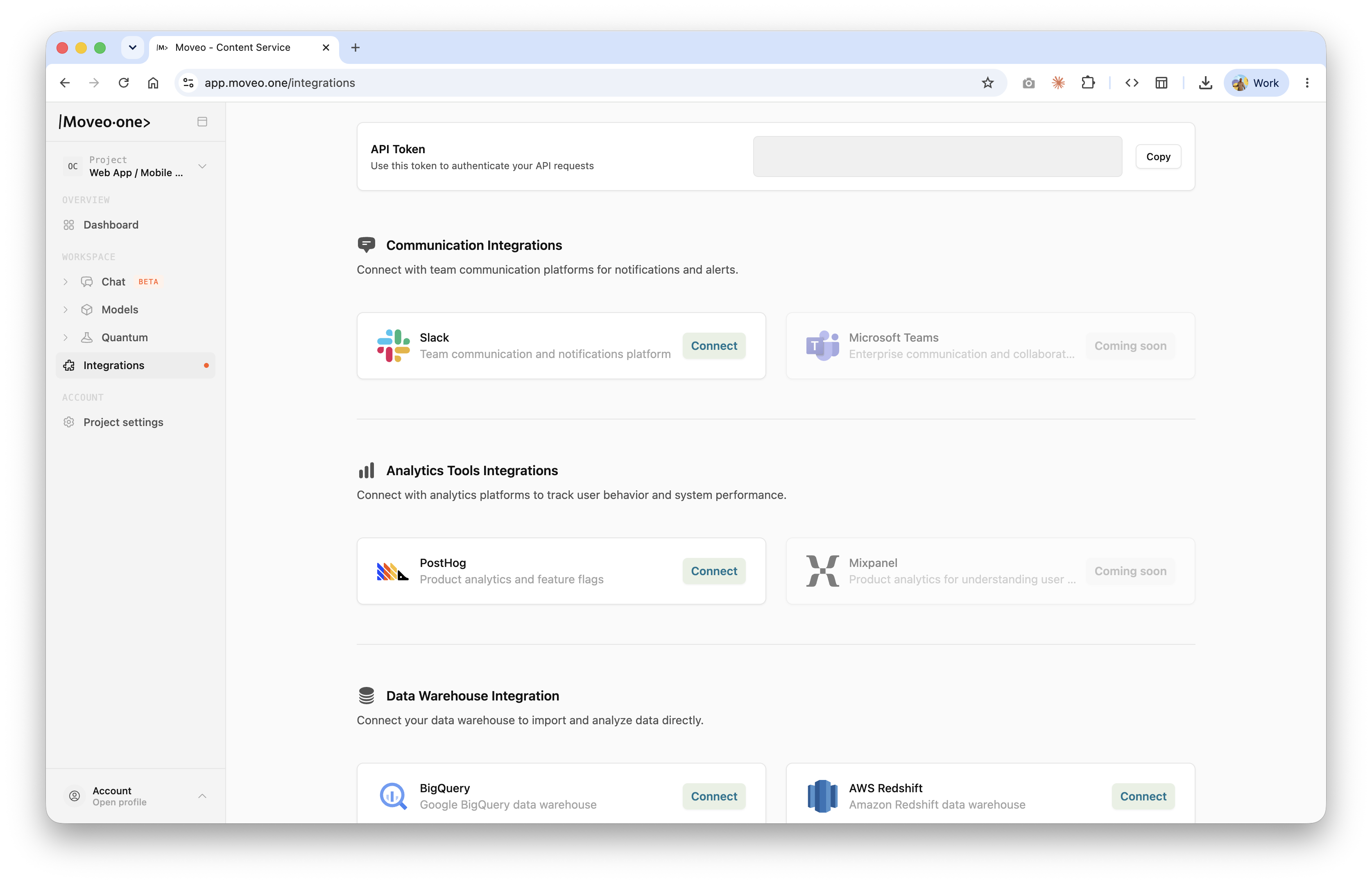
Your Moveo One API key is the API Token at the top of the Integrations page in the Moveo One app. The same token authenticates every Moveo One integration.
Installation & setupDirect link to Installation & setup
- Web
- iOS (Swift)
- Android (Kotlin)
Requirements: @segment/analytics-next 1.x or newer.
Install the destination:
npm install moveo-one-segment-destination-web
Register it after loading Segment:
import { AnalyticsBrowser } from "@segment/analytics-next";
import { moveoOneDestination } from "moveo-one-segment-destination-web";

export const analytics = AnalyticsBrowser.load({
  writeKey: "YOUR_SEGMENT_WRITE_KEY",
});

analytics.register(
  moveoOneDestination({ apiKey: "YOUR_MOVEO_API_KEY" })
);
That's it — every existing analytics.track(...), analytics.page(...), etc. is now also forwarded to Moveo One.
Prefer zero dependencies? Copy
standalone/MoveoOneDestination.tsfrom the repo into your project instead of installing the package.
Requirements: iOS 15+, Segment Analytics-Swift 1.5.0+.
Add both packages via Swift Package Manager:
.package(url: "https://github.com/divstechnologydev/moveo-one-segment-destination-ios", from: "1.0.0"),
.package(url: "https://github.com/segmentio/analytics-swift", from: "1.5.0"),
Initialize Segment and add the Moveo One plugin:
import Segment
import SegmentMoveoOne

let analytics = Analytics(
    configuration: Configuration(writeKey: "YOUR_SEGMENT_WRITE_KEY")
        .trackApplicationLifecycleEvents(true)
)

analytics.add(plugin: MoveoOneDestination(apiKey: "YOUR_MOVEO_API_KEY"))
Prefer not to add a dependency? Copy
Sources/SegmentMoveoOne/MoveoOneDestination.swiftinto your project.
Requirements: Android API 24+, Segment Analytics-Kotlin 1.14.0+.
Add the Segment Kotlin SDK to your build.gradle:
implementation 'com.segment.analytics.kotlin:android:1.24.1'
Copy MoveoOneDestination.kt into your project and update its package declaration to match your own.
Initialize Segment and add the plugin (e.g. in Application.onCreate()):
val analytics = Analytics("YOUR_SEGMENT_WRITE_KEY", applicationContext) {
    trackApplicationLifecycleEvents = true
}

analytics.add(plugin = MoveoOneDestination(apiKey = "YOUR_MOVEO_API_KEY"))
What gets forwardedDirect link to What gets forwarded
All standard Segment calls are mirrored to Moveo One:
| Segment call | Forwarded | Carries |
|---|---|---|
track | ✅ | event name + properties |
page | ✅ | name + properties (web) |
screen | ✅ | name + properties (mobile) |
identify | ✅ | userId + traits |
group | ✅ | groupId + traits |
alias | ⚠️ | common fields only |
Each forwarded payload preserves Segment's messageId, anonymousId, userId (when set), timestamp, context, and integrations, so user identity and session context stay intact across both systems.
Configuration optionsDirect link to Configuration options
All platforms accept the same options. Only apiKey is required; the defaults are production-ready.
| Option | Default | Description |
|---|---|---|
apiKey | — | Required. Your Moveo One API key. Sent as the Authorization header. |
endpoint | .../segment-destination | Override the ingestion endpoint. |
debug | false | Log request/response details (console / Logcat). |
gzip | true | Gzip-compress upload bodies. Set false to send plain JSON. |
batchSize | 20 | Number of events that trigger an immediate flush. |
flushIntervalMs | 30000 | How often the queue flushes automatically (ms). |
maxQueueBytes | 5000000 | Max queued bytes before the oldest batches are evicted (5 MB). |
maxQueueAgeMs | 604800000 | Max age of a queued batch before eviction (7 days). |
maxRetries | 10 | Upload attempts before a batch is dropped. |
filter | none | Only forward events whose properties match — see below. |
Filtering which events are forwardedDirect link to Filtering which events are forwarded
Pass a filter to forward only events whose properties (for track/page/screen) or traits (for identify/group) match all of the given conditions (AND logic):
- Web
- iOS (Swift)
- Android (Kotlin)
moveoOneDestination({
  apiKey: "YOUR_MOVEO_API_KEY",
  filter: {
    category: ["purchase", "subscription"],
    currency: ["USD", "EUR"],
  },
});
MoveoOneDestination(
    apiKey: "YOUR_MOVEO_API_KEY",
    filter: [
        "category": ["purchase", "subscription"],
        "currency": ["USD", "EUR"]
    ]
)
MoveoOneDestination(
    apiKey = "YOUR_MOVEO_API_KEY",
    filter = mapOf(
        "category" to listOf("purchase", "subscription"),
        "currency" to listOf("USD", "EUR")
    )
)
Only primitive values (string / number / boolean) are matched; an event missing a filtered property is dropped.
Reliability & deliveryDirect link to Reliability & delivery
The destination is built for lossy mobile and web networks:
- Durable queue — events are persisted on-device before the network call, so they survive reloads, crashes, and reboots.
- Smart batching — a batch is sealed and sent when
batchSizeis reached, the request-size limit (~475 KB) is hit, the flush timer fires, or the app/page goes to the background. - Exponential backoff with jitter —
429 Retry-Afteris honored;5xx/network errors are retried; non-4294xxresponses are treated as permanent and dropped. - At-least-once + de-dup — Moveo One de-duplicates on
messageId, so retried batches never double-count.
Verify the integrationDirect link to Verify the integration
- Enable
debug: true(web/iOS) ordebug = true(Android) and trigger a few Segment events. - Confirm a
POSTto…/api/analytic/external/segment-destinationreturns2xx. - Open the Moveo One app and confirm sessions and events appear on your dashboard.
TroubleshootingDirect link to Troubleshooting
- 401 / 403 — wrong or missing
apiKey. Re-copy the token from the Integrations page. - Nothing arrives — check that your other Segment destinations receive the same events (rules out a Segment-side issue), then enable
debugto inspect the outgoing request. - Events delayed — batches flush every 30 s by default; lower
flushIntervalMsorbatchSizefor near-real-time delivery during testing.
Need help? Reach us at support@moveo.one.